Chore-List on Alexa: Run the Family Chore Board by Voice
The Chore List skill for Alexa is live in the Alexa Skills Store. Link your free Chore-List account once, then ask what is due, hear the whole family’s day, and add new chores out loud - hands in the dishwater, phone in another room, no problem.
Watch: Chore-List by voice (about a minute)
Prefer to read? Everything in the video is on this page, and the skill is free to enable: Chore List on Amazon.
What the skill does
Chore List for Alexa is the voice front end for the Chore-List board your family already uses on the kitchen tablet and in the app. Anything you add by voice lands on the same live board, instantly, and everything Alexa reads out comes from that board - not from a separate list you have to keep in sync.
- Hear today’s chores. Ask what one kid has today, or get a spoken summary for all the kids at once.
- Add chores out loud. Name the chore, the kid, the day, and an optional dollar amount. It appears on the board right away.
- Your family’s names, learned automatically. The skill resolves your family members from your own linked board. Nobody else’s board is ever visible to it.
- Checking off stays on the board. Completions happen on the kiosk or in the app, where a completion photo keeps everyone honest. Alexa is for asking and adding, quickly.
Just ask
- “Alexa, ask Chore List what the younger one has today.”
- “Alexa, ask Chore List what chores are due today.”
- “Alexa, ask Chore List what all the kids have today.”
- “Alexa, ask Chore List to add wash the car for the older one on Saturday, for five dollars.”
- “Alexa, ask Chore List to add take out the trash for the younger one tomorrow, for two dollars.”
You can also ask by name. But names are the hard part for any voice assistant, so Chore-List gives you a better option:
Voice tags: no name pronunciation battles
In Chore-List you can set a friendly voice tag for each kid: Older, Middle (Middle1 up to Middle5 for bigger families), or Younger. Say “the older one” or “the younger one” and the skill knows exactly who you mean, because it reads the tags from your own family’s board. In our demo family, that sounds like this: “What does the younger one have today?” gets you Liam’s list - take out the trash, a dollar fifty - without Alexa ever having to guess at a name.
How to enable it (about two minutes)
- Create your free Chore-List account first, if you do not have one yet, and add your family members and a few chores. The skill reads your board, so the board comes first.
- Enable the skill. Open the Chore List skill page on Amazon (or search “Chore List” in the Alexa app under Skills & Games) and tap Enable.
- Tap Link Account and sign in with your Chore-List account. That one-time link is what lets Alexa find your family’s board. You stay signed in; there is nothing to repeat.
- Just ask. “Alexa, ask Chore List what chores are due today.” Done.
Want the voice tags working from day one? Set each kid’s tag in the app under their member settings before your first question, and the “older one / younger one” phrasing works immediately.
Privacy, plainly
- Your board, only yours. Account linking ties the skill to the signed-in account’s own family board. It cannot see, hear about, or change any other family’s data.
- Made for grown-ups. The skill is a household management tool for parents and caregivers. The account holder is an adult; kids do not create accounts, and the skill is not directed at children.
- Minimal data. Through account linking, the skill uses the linked account’s email address only to identify which family board is yours. The full details are in the privacy policy.
- Unlink any time. Disable the skill in the Alexa app and the connection is gone. Your board and history stay in Chore-List, under your control.
Questions
Is the Chore List Alexa skill free?
Yes. The skill is free to enable, and a free Chore-List account is all it needs. Create the account first, then enable and link.
What can I actually do by voice?
Hear today’s chores for one kid or for all the kids, and add new chores with a day and an optional dollar amount. Marking chores complete stays on the kitchen kiosk and in the app, where completion photos keep everyone honest.
Do I have to say my kids’ names?
No. Set a voice tag for each kid in Chore-List (Older, Middle, Younger) and ask for “the older one” instead. Names work too - the skill learns them from your own board.
Which Alexa devices does it work on?
Any Alexa-enabled device signed into the Amazon account where you enabled the skill: Echo speakers and displays, and the Alexa app on your phone.
I asked, and Alexa says my account is not linked. What now?
Open the Alexa app, go to the Chore List skill, and tap Link Account, then sign in with the same Chore-List account that holds your family board. If you linked a different account by mistake, disable the skill, enable it again, and link the right one.
Does it work with the kitchen kiosk?
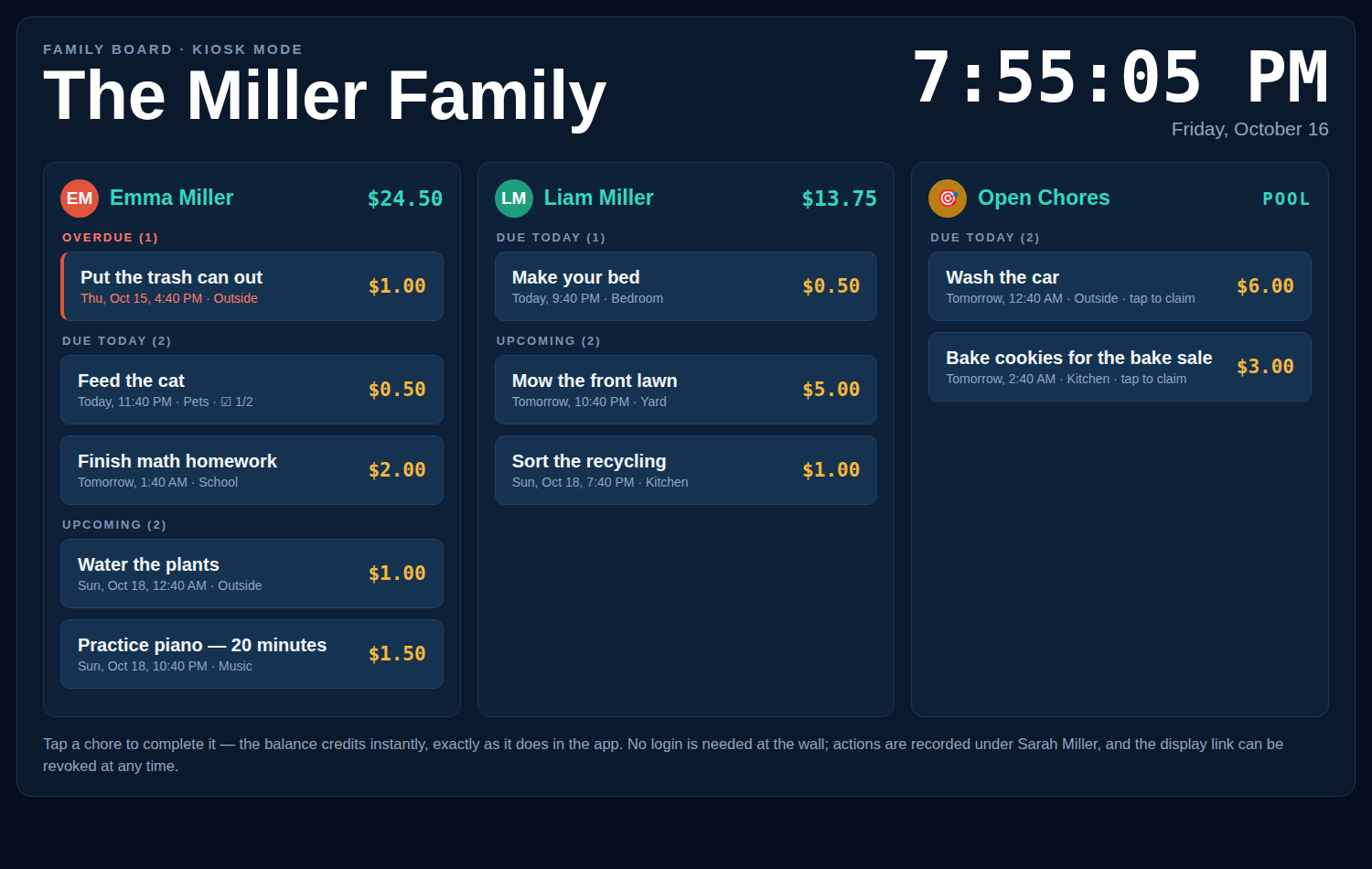
Beautifully. They are two front ends on the same board: add a chore by voice from the couch, and it is already on the kitchen display when the kids walk past it.
Dinner’s on, hands are full. Just ask.
Enable the free Chore List skill, link your account once, and run the chore board by voice from anywhere in the house.