
Kiosk mode
Kiosk Mode
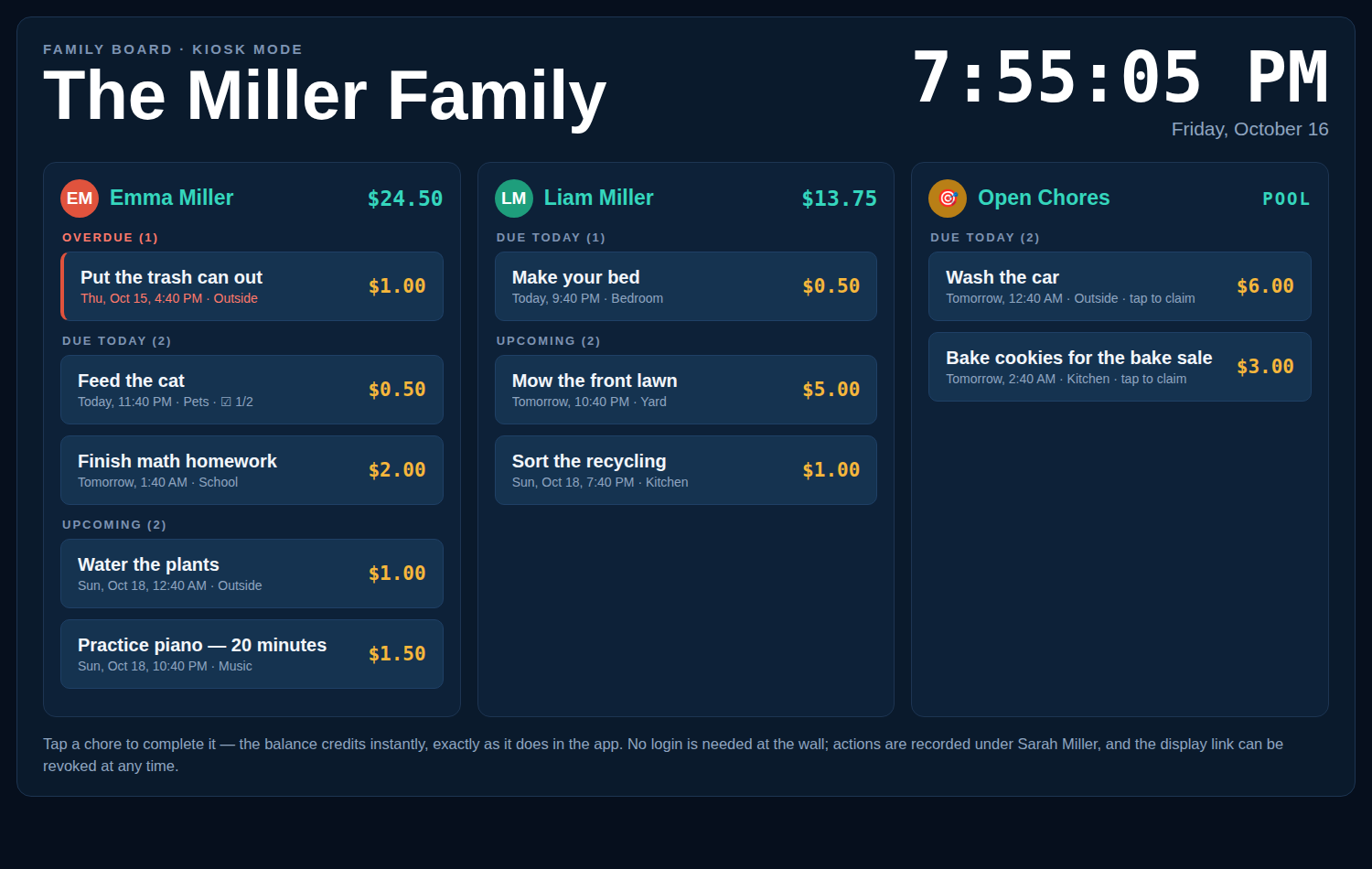
Kiosk mode turns any tablet or spare screen into a wall-mounted chore board for your kitchen: the family’s lists as tap-to-complete rows, a live clock, and an optional 4-digit PIN - nothing else.
What is kiosk mode?
Kiosk mode is a special view of your Chore-List board designed for a shared screen at home. Instead of everyone logging in on their own device, the board lives on a tablet in the kitchen (or any browser on any screen). Kids walk up, tap ✓ Mark complete on a finished chore, or tap 🙋 Claim on an open chore, and the board updates itself every five minutes - or instantly when someone taps the clock to refresh.
How display links work
- Create a link. In the app, tap 📺 Display and choose which family members’ lists appear, and whether the Open Chores pool is included.
- Open it on the tablet. You get a unique URL like
https://chore-list-app.234apps.com/display/...- shown in full only once. Open it on the kitchen tablet and you’re done; no login lives on that screen. - Revoke any time. Lost tablet, new tablet, or just tidying up: revoke the link in the Display panel and it stops working immediately. Create as many as you need - one per screen.
Safe by design
- View and do, not manage. The kiosk screen exposes only the lists you picked. There are no settings, no member management, no balance adjustments - nothing a curious kid (or a guest) can get into.
- Actions are attributed. Completions and claims made on a display are recorded under the family member who created that display link - the screen says so right at the top: “Actions are recorded under ...”. Adult notification emails still go out for completions.
- The link is the key. Display URLs are unguessable tokens, stored only as hashes on the server. Anyone with the link can use that screen, so treat it like a house key - and revoke it if a device leaves the house.
What the kiosk shows
- The chosen members’ lists with photos and balances.
- Chores grouped into Overdue, Due Today, and Upcoming (next 10 days), same as the app.
- The Open Chores pool, if you included it.
- A live clock with seconds, in your family’s timezone.
Put your chore board on the wall
Create your family board, then make a display link for the kitchen.